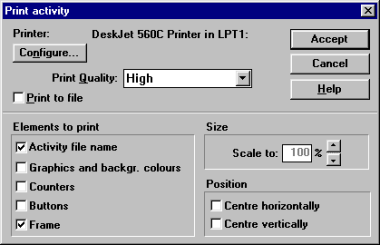
Print functionsOne of the new things in Clic 3.0 is the possibility of printing the content of the screen at any time. This could be useful for preparing exercises on paper.To access the print functions you have to be in the desired activity and select the File -Print menu. You can also place a button on the main screen that directly activates printing, by marking the corresponding box in Activity options.
You can change various parameters in the screen that appears before printing such as which elements should appear and the position of the image on the sheet of paper. Clic always tries to occupy the maximum printable area of the paper in the printer, but this can be reduced with the Scale to option.


|